Quick start
Heta models can be used in two main workflows:
- Compile models and export them to different formats
- Run simulations using HetaSimulator
Quick start: conversion
Before you start, make sure you have installed the following:
- VSCode
- Heta-compiler
What we will build
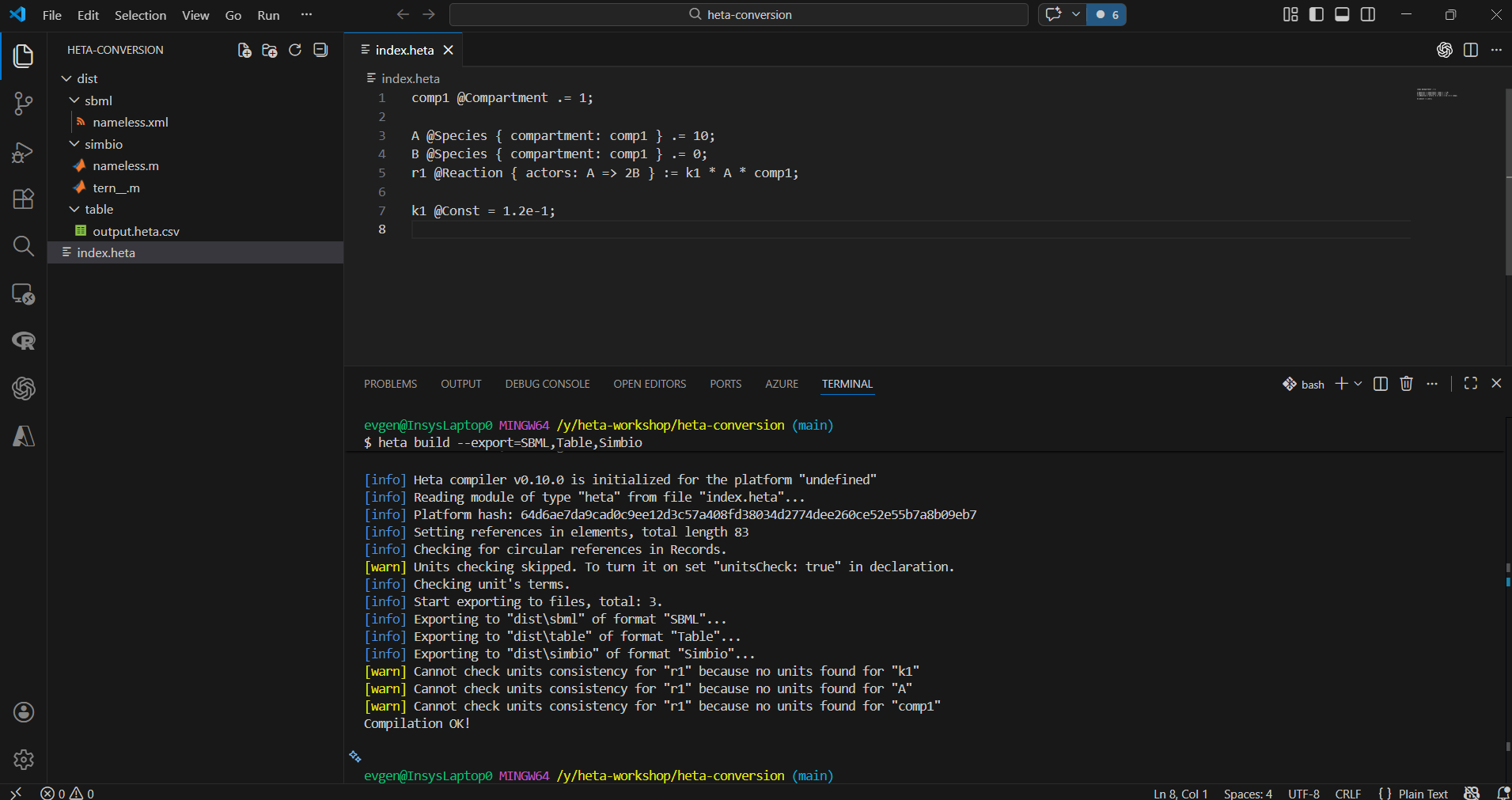
In this quick start we create a simple reaction model and convert it to SBML, SimBiology, and Heta-Table format.
Step 1
Create a new directory called heta-conversion and open it in VSCode (drag-and-drop the directory to the Code icon).
Step 2
Create a file index.heta inside the directory with the following content:
comp1 @Compartment .= 1;

A @Species { compartment: comp1 } .= 10;
B @Species { compartment: comp1 } .= 0;
r1 @Reaction { actors: A => 2B } := k1 * A * comp1;

k1 @Const = 1.2e-1;
This model describes a simple reaction converting A to B inside a compartment.
Step 3
Open the terminal in VSCode (Terminal -> New Terminal or Ctrl + `) and run the following command in the project directory:
heta build --export=SBML,Table,SimbioOpen the dist directory in VSCode and inspect the generated files.
Next steps
Quick start: simulation
Before you start, make sure you have installed the following:
- VSCode
- Julia
- Julia extension for VSCode
- HetaSimulator.jl package
- Plots.jl package
What we will build
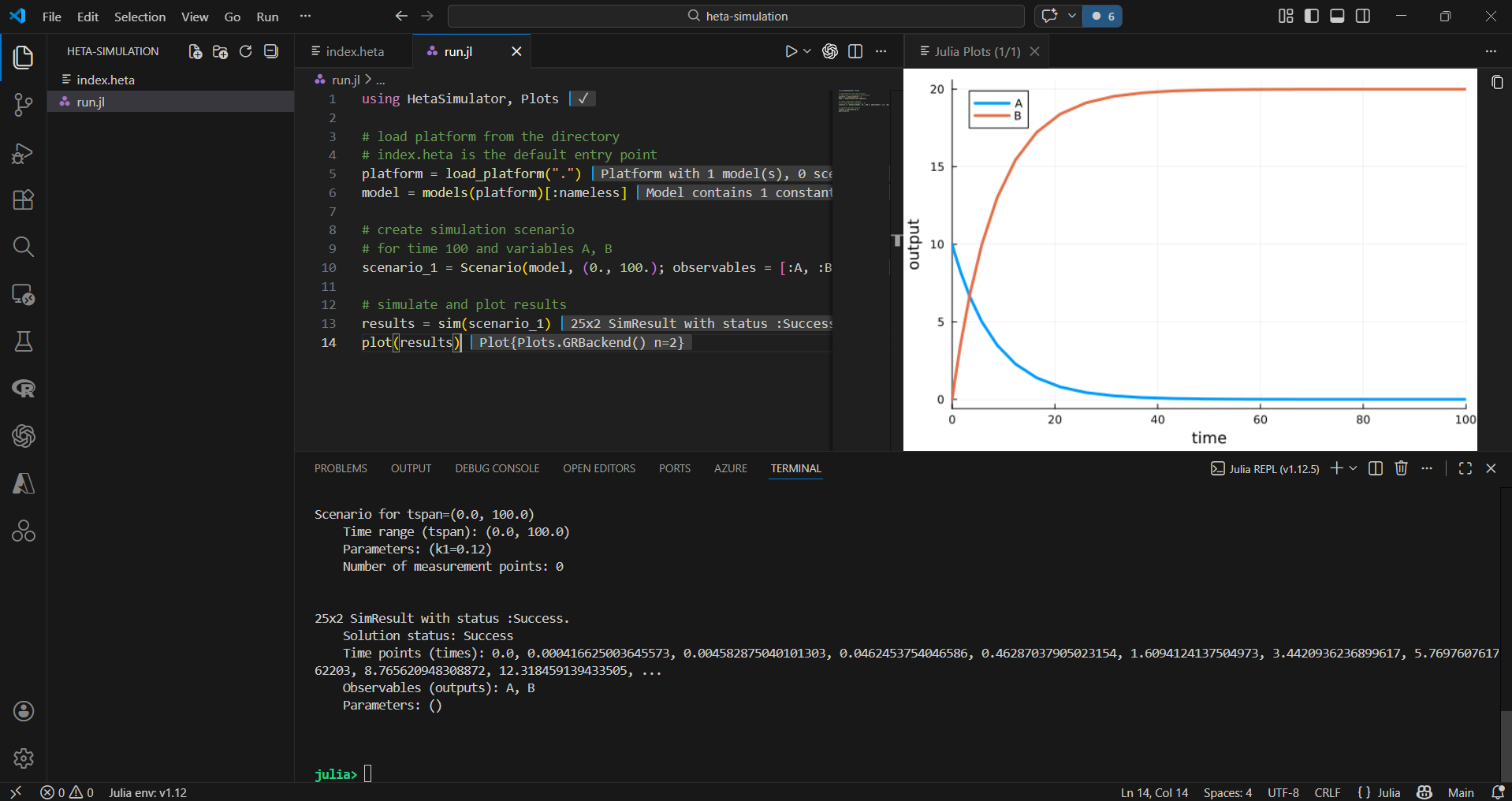
In this quick start we create a simple reaction model and plot the simulation results.
Step 1
Create a new directory called heta-simulation and open it in VSCode (drag-and-drop the directory to the Code icon).
Step 2
Create a file index.heta inside the directory with the following content:
comp1 @Compartment .= 1;

A @Species { compartment: comp1 } .= 10;
B @Species { compartment: comp1 } .= 0;
r1 @Reaction { actors: A => 2B } := k1 * A * comp1;

k1 @Const = 1.2e-1;
This model describes a simple reaction converting A to B inside a compartment.
Step 3
Create a file run.jl with the following content:
using HetaSimulator, Plots

# load platform from the directory
# index.heta is the default entry point
platform = load_platform(".")
model = models(platform)[:nameless] # default model in platform

# create simulation scenario
# for time 100 and variables A, B
scenario_1 = Scenario(model, (0., 100.); observables = [:A, :B])

# simulate and plot results
results = sim(scenario_1)
plot(results)
Run the code line by line pressing Ctrl + Enter